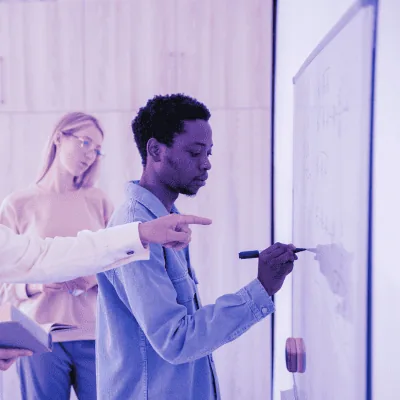
La formation Maîtriser Figma : Concevoir des Interfaces Utilisateur Modernes est délivrée en présentiel ou distanciel (blended-learning, classe virtuelle, présentiel à distance). Chez Learni, organisme de formation certifié Qualiopi, chaque parcours est conçu pour maximiser l'acquisition de compétences, quel que soit le mode de formation choisi.
Le formateur alterne entre méthode démonstrative, interrogative et active (via des travaux pratiques et/ou des mises en situation). Cette approche pédagogique garantit un apprentissage concret et directement applicable en entreprise.
Moyens pédagogiques requis
Pour le bon déroulement de la formation Maîtriser Figma : Concevoir des Interfaces Utilisateur Modernes, les moyens pédagogiques suivants sont nécessaires :
- Ordinateurs Mac ou PC, connexion internet haut débit fibre, tableau blanc ou paperboard, vidéoprojecteur ou écran tactile interactif (pour les sessions en distanciel)
- Environnements de formation installés sur les postes de travail ou accessibles en ligne
- Supports de cours, exercices pratiques et ressources complémentaires
- Accès post-formation aux supports et ressources pédagogiques
En cas de formation intra-entreprise sur site externe à Learni, le client s'assure et s'engage à disposer de toutes les ressources matérielles pédagogiques nécessaires (équipements informatiques, connexion internet…) au bon déroulement de l'action de formation conformément aux prérequis indiqués dans le programme de formation communiqué.
Modalités d'évaluation des acquis
L'évaluation des compétences acquises lors de la formation Maîtriser Figma : Concevoir des Interfaces Utilisateur Modernes s'effectue à travers :
- En cours de formation : études de cas, travaux pratiques et mises en situation professionnelle
- En fin de formation : questionnaire d'auto-évaluation et évaluation des acquis par le formateur
- Après la formation : attestation de fin de formation détaillant les compétences acquises
Accessibilité de la formation
Learni s'engage pour l'accessibilité de ses formations professionnelles. Toutes nos formations sont accessibles aux personnes en situation de handicap. Nos équipes sont à votre disposition pour adapter les modalités pédagogiques à vos besoins spécifiques. N'hésitez pas à nous contacter pour toute demande d'aménagement.
Modalités et délais d'accès à la formation
Les formations Learni sont disponibles en inter-entreprise et intra-entreprise, en présentiel comme en distanciel. Les inscriptions sont possibles jusqu'à 48 heures ouvrées avant le début de la formation. Nos formations sont éligibles aux financements OPCO, France Travail, FNE-Formation et CSP (contrat de sécurisation professionnelle). Contactez-nous pour étudier ensemble votre projet de formation et les possibilités de prise en charge.