
Rigorous trainer selection
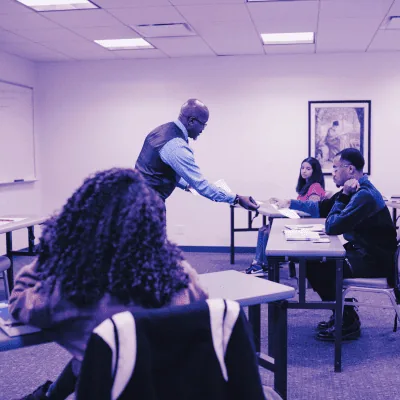
Each trainer is validated on three criteria: hands-on field expertise, proven pedagogy and alignment with your industry.
- Triple validation: technical, pedagogical, sectoral.
- Minimum rating 4.8/5 over the last 12 sessions.
Describe your need, get a tailored program and a pre-filled quote in 3 min. A 100% free call with an advisor.

1 seat held for the next session
Request a call back and an advisor reaches you within 24 business hours, Monday to Saturday.



























To fight inequalities in access to education, Learni donates a complete school kit to a child in need for every training booked. You build your skills, a child heads back to school.
Founded by engineers and learning experts, Learni's mission is to make high-impact tech training accessible to teams everywhere. We work remotely with organizations across the US and Canada, in your time zone, to help teams upskill fast.
Don't let this gap widen
Ignoring Accessibility (A11Y) 2026 exposes your company to major risks: in France, the RGAA requires mandatory compliance for large public and private websites, with fines up to 450€ per instance of non-compliance identified by the Défenseure des droits.
Nearly 12 million French people (20% of the population) with disabilities are excluded daily from your web services, resulting in a loss of 15-20% of potential traffic and business opportunities according to Google studies.
On the career front, untrained developers risk obsolescence against 2026 standards, amplified user complaints on social networks, and a tarnished brand image that impacts contracts.
Master these skills now to avoid these losses and turn accessibility into a competitive advantage.
Discover the essential principles of web accessibility through interactive presentations on WCAG 2.2 guidelines and 2026 evolutions, analyze concrete examples of common non-conformities with the WAVE tool, perform your first simple HTML page audit, identify the perceivable, operable, understandable, and robust elements, and produce a preliminary report to consolidate your learning in 7 hours of guided practice.
Dive into HTML5 semantic markup for smooth keyboard navigation, test contrast ratios with ColorZilla on real mockups, integrate basic ARIA attributes for dynamic components, correct common errors on company case studies, simulate usage with NVDA screen reader, and validate implementations using RGAA checklists in 7 hours of collaborative practical exercises.
Learn to make images and videos accessible with precise alt attributes and synchronized captions, structure user-friendly forms for all using labels and ARIA-required, use Axe DevTools to detect multimedia pitfalls, test on adapted Figma prototypes, analyze non-compliant YouTube videos and correct them, produce group-tested deliverables covering 7 hours of hands-on inclusion-focused workshops.
Conduct a comprehensive audit of a real website using Lighthouse and RGAA criteria, prioritize corrections by business impact, generate a professional report with actionable recommendations, simulate a client presentation on the ROI value of A11Y, review peers' audits, incorporate feedback for a final certified deliverable, and conclude with a quiz and personal action plan in 7 hours of project synthesis.
The Training Accessibility (A11Y) 2026 - Mastering web accessibility for all program is delivered onsite or remote (blended-learning, virtual classroom, remote presence). At Learni, an industry-certified training organization, every program is built to maximize skills acquisition regardless of the chosen format.
The trainer alternates between demonstrative, interrogative and active methods (through hands-on labs and/or scenarios). This pedagogical approach guarantees concrete learning that's immediately applicable at work.
For the smooth delivery of the Training Accessibility (A11Y) 2026 - Mastering web accessibility for all program, the following equipment is required:
For intra-company training on a site outside Learni, the client commits to providing all required teaching materials (computers, internet, etc.) for the smooth delivery of the program in line with the prerequisites in the communicated program.
Assessment of skills acquired during the Training Accessibility (A11Y) 2026 - Mastering web accessibility for all program is performed through:
Learni is committed to making its programs accessible. All our programs are accessible to people with disabilities. Our teams are available to adapt the pedagogical methods to your specific needs. Please contact us for any adjustment request.
Registration is possible up to 48 business hours before the start of training. All our programs are built for corporate L&D budgets and delivered onsite or remotely.
Before, during, after: we frame the brief, introduce the trainer, tailor the content and measure impact. You stay in control from kickoff to wrap-up.
Each trainer is validated on three criteria: hands-on field expertise, proven pedagogy and alignment with your industry.
30-minute video call between you and the selected trainer to validate the fit, adjust content and clear any final doubts.
No recycled slides. The syllabus is reworked from your real cases: tools, constraints, vocabulary, ongoing projects.
Live evaluations, 30/90/180-day check-ins and a consolidation plan. If the impact misses the mark, we rework it.
A simple promise: you don't pay to discover the trainer on day one. Everything is validated upfront, by you.
 Digital accessibilityIndustry-certified
 Digital accessibilityIndustry-certified
 Digital accessibilityIndustry-certified
 Digital accessibilityIndustry-certified
 Digital accessibilityIndustry-certified
 Digital accessibilityIndustry-certified
 Digital accessibilityIndustry-certified
 Digital accessibilityIndustry-certified
 Digital accessibilityIndustry-certified
 Digital accessibilityIndustry-certified
 Web developmentIndustry-certifiedWeb developmentIndustry-certified
 Web developmentIndustry-certifiedWeb developmentIndustry-certified
 Web developmentIndustry-certified
 Web developmentIndustry-certified
 Containers & KubernetesIndustry-certifiedContainers & KubernetesIndustry-certifiedContainers & KubernetesIndustry-certified
 Containers & KubernetesIndustry-certified
 Containers & KubernetesIndustry-certifiedContainers & KubernetesIndustry-certifiedCybersecurity fundamentalsIndustry-certifiedCybersecurity fundamentalsIndustry-certified
 Cybersecurity fundamentalsIndustry-certified
 Cybersecurity fundamentalsIndustry-certifiedCybersecurity fundamentalsIndustry-certified
 Cybersecurity fundamentalsIndustry-certified
Available on-site and remotely. Pick your city to see the local training center.
30 minutes with a learning advisor. No commitment. No sales pitch dressed up as a demo.